

 Winter Sale










 60%
60%
InstaComposer
W. A. Production- Software: InstaComposer
- Type: MIDI Processor, Plugins
- Format: VST, AU, AAX, VST3
- Rating:
InstaComposer
New Generation
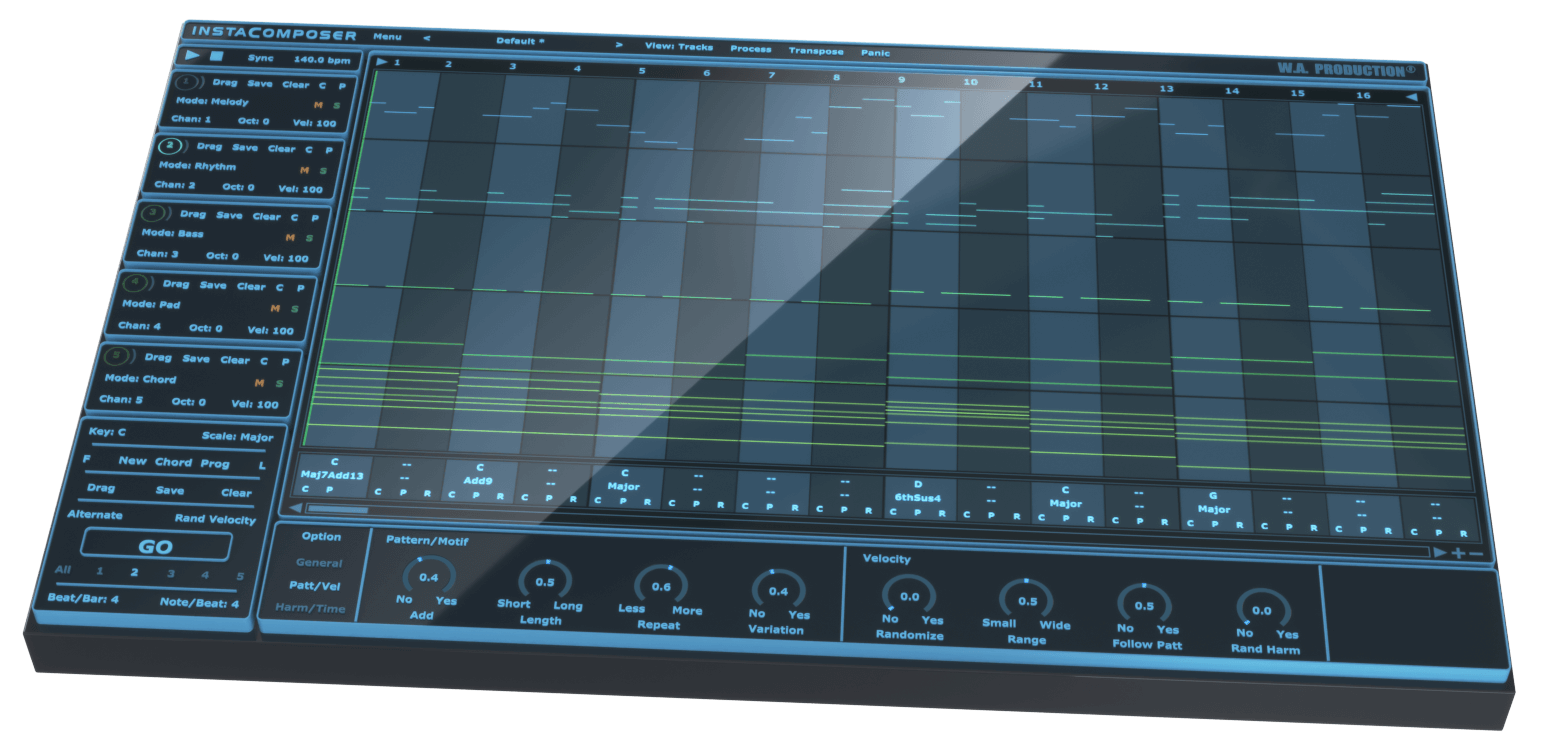
Sometimes inspiration comes at you thick and fast... but sometimes not. Instacomposer is your saviour when creativity runs dry, or when you just need your talent topped up. This MIDI generation plugin can conjure melody, rhythm, bass, pads and chords at the click of a button - all using artificial intelligence to create genuinely useful and musical riffs. This is the next step in automatic composition, using a complex algorithm to determine notes, harmonies and chords based on your personal preferences. With this much composing power at your fingertips, you’ll never be stuck in a musical rut again.
Artificial Intelligence
The backbone of Instacomposer is a behind-the-scenes decision making matrix that creates notes based on both mathematics and musical knowledge. Plus, the artificial intelligence factors in a whole host of parameters that you can set in the bottom panel, from repetition probability to the complexity of chord shapes. Harmonic variations, strumming techniques and note density are just some of the myriad of options that can be adjusted, feeding the algorithm your own personal set of preferences.
Total Flexibility
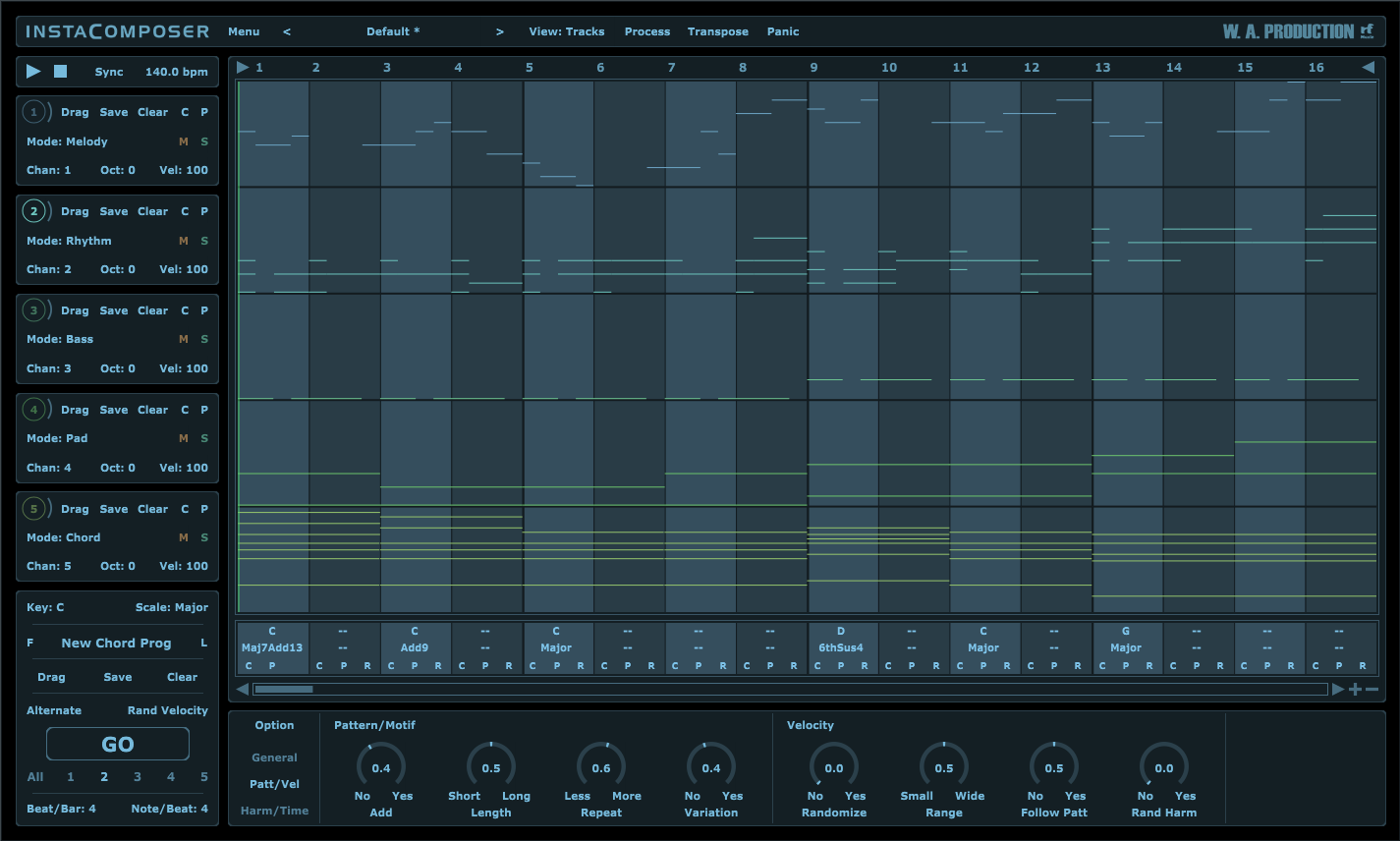
Instacomposer is as unique as you are, taking into account your chosen scale, time signature and riff length. Choose to create new sequences for one, some or all of the 5 tracks, and in any combination of melody, rhythm, bass, pad and chord.
MIDI Editor
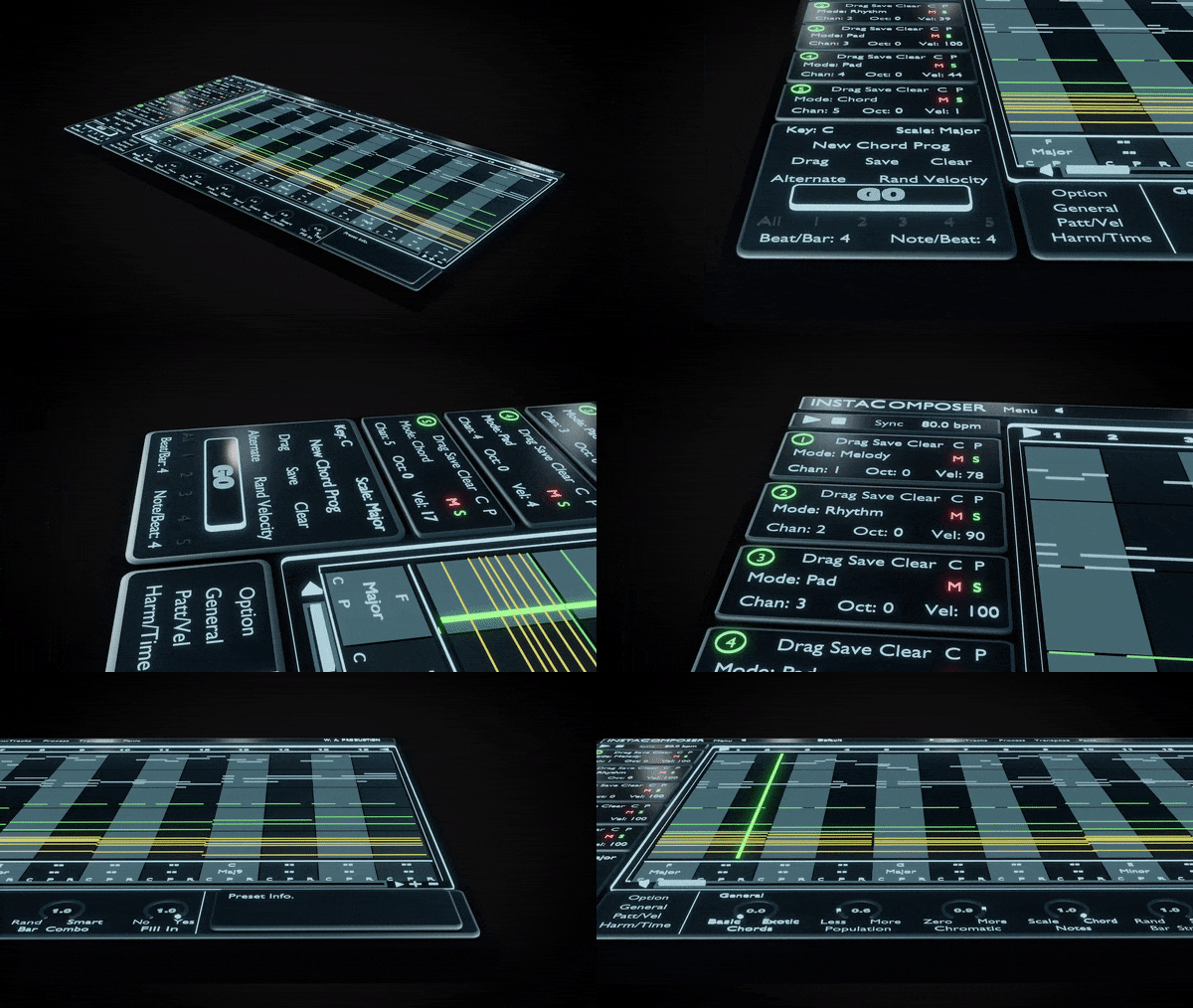
The onboard MIDI editor can be used to tweak the output of Instacomposer within the interface itself. This means that you can manipulate the music before it leaves the plugin, adding your own creativity and personal style on top of what the plugin has offered you. Move, copy and delete notes within a familiar piano-roll interface, even changing the velocity.
MIDI Export
Drag the MIDI tracks straight out of Instacomposer and into your DAW for ultimate ease of use. Alternatively, set up multi-channel instruments and route the MIDI from Instacomposer into your favourite VSTi’s. In this way you can preview all 5 tracks simultaneously, without ever leaving the Instacomposer environment.
Presets
Instacomposer includes a huge number of factory presets; useful musical motifs to get you up and running quickly which can eventually become the basis for whole tracks.
W. A. Production are real-life producers making creative plugins to help you achieve studio quality processing quickly and easily. Enjoy!
Features
- Intelligent MIDI Generation plugin
- Create Melodies, Phrases, Riffs, Chords & more
- Infinite ideas at the click of a button
- Generate 5 tracks simultaneously
- Multi-track and Multi-channel routing
- Automatic harmonies and chord progression generation
- Comprehensive MIDI editing
- MIDI drag and drop
- Multiple time signatures
- Many controls for Probability, Complexity & Variation
- Factory Presets
- Full PDF Manual & Tutorial video
MIDI Routing video tutorials:
FL Studio (fully compatible)
Logic Pro X (fully compatible)
Ableton Live (fully compatible, but requires extra steps to use multi-channel output, instructions for this here)
Cubase (fully compatible except on Cubase Elements, which does not have this capability)
Studio One (fully compatible)
Bitwig (fully compatible)
Samplitude (fully compatible, video shows a different plugin but it is the same process to set up)
Pro Tools (fully compatible, video shows a different plugin but it is the same process to set up)
Mixcraft (fully compatible, requires a driver download)
Reaper (fully compatible)
FAQ
-
- Windows 10/11 or higher (64 bit)
- macOS 10.15 or higher (64 bit)
The plugin likely will not work properly on older OS versions. If the demo appears to work on your older system, this does not guarantee that the full version will work properly. If you are unsure whether or not the plugin will work on your system, please email info@waproduction.com.
-
InstaComposer can be used on any software that supports VST or AAX plug-ins with MIDI routing or AU MIDI effect type. But to make sure it's compatible with yours please try the demo version before you buy (only major chords are allowed in trial version).
Tested OK on:
Windows
- FL Studio 12 (and newer)
- Cubase 10 (and newer)
- Studio One 5 (and newer)
- Ableton Live 9 (and newer) (Blue Cat's Patchwork plugin needed for multi-channel MIDI routing)
- Pro Tools 11 (and newer)
Mac
- FL Studio 12 (and newer)
- Cubase 10 (and newer)
- Studio One 5 (and newer)
- Ableton Live 9 (and newer) (Blue Cat's Patchwork plugin needed for multi-channel MIDI routing)
- Logic Pro X (and newer)
- Pro Tools 11 (and newer)
Global
- NI Maschine - Blue Cat's Patchwork plugin needed for multi-channel MIDI routing
- Mixcraft - Blue Cat's Patchwork plugin needed for multi-channel MIDI routing
- FL Studio 12 (and newer)
-
- Maschine 2 (Win / Mac) - No MIDI routing. You can still use Drag&Drop MIDI function.
- Reason (Win / Mac) - No MIDI routing. You can still use Drag&Drop MIDI function.
- Maschine 2 (Win / Mac) - No MIDI routing. You can still use Drag&Drop MIDI function.
-
v 1.0.1 - Update 5th October 2021
- Fixed issues with loading/dropping MIDI files in some hosts.
- Improved rhythm generation algorithm.
v 1.0.2 - Update 15th October 2021
- New option: Sync start/stop to host's playback
- New option: Quantize start
- New option: Follow song position
- New option: Show/Hide ghost notes
- New feature: Undo/Redo note changes
- New feature: Rename tracks and change their colors
- New: Each track has its own ‘chord inversion’ and ‘add bass note’ options
- Updated quick guide to cover the new changes
- Added a new ‘How it works’ chapter to the quick guide
v 1.0.2.b21102 - Update 22nd October 2021
- Quantize bug fix
v1.0.3.b2111023 - Update 1st November 2021
- Fixed: Notes getting choked or stuck when looping back
- Added: Undo and Redo buttons
- More Color options
- Fixed: Redo launching a pop up window
v1.0.3.b2111024 - Update 7th November 2021
- Minor bug fixes
Also available in these bundles

Insta Series
InstaComposer & Expansions
Everything Bundle V3
Everything Bundle V4
Video previews

Previews
Audio Preview
Electro House
Trap
Future Bass


You might also like plugins
- plugins
- sounds
- videos
- templates
- labels
UK Bass for Imperfect
UK Bass for Babylon 2
Hardstyle for InstaChord 2
ChopBeast
Techno for ImPerfect
Delay Rings
InstaChord 2
Trivox
SphereDelay 2
MixBoss
MTremoloMB
MStereoGenerator
UK Garage Course
Amapiano Course
Liquid Drum & Bass Course
Mainstream Drum & Bass Course
Latin House Course
Deep Dubstep Course
Neuro Break Course



Comments
Add new comment
Reviews 85 | Average Rating (148 Votes):